stm32cubeIde 与 Proteus 联调
试验环境
Proteus 9.2 + STM32CubeIDE 2.2.0 stm32f407vg (没有试验别的)
操作步骤
- 在 Proteus Debug 菜单中勾选 “Enable Remote Debug Monitor” .
- Proteus 中设置好 stm32f407vg 的 elf 固件,并启动仿真.
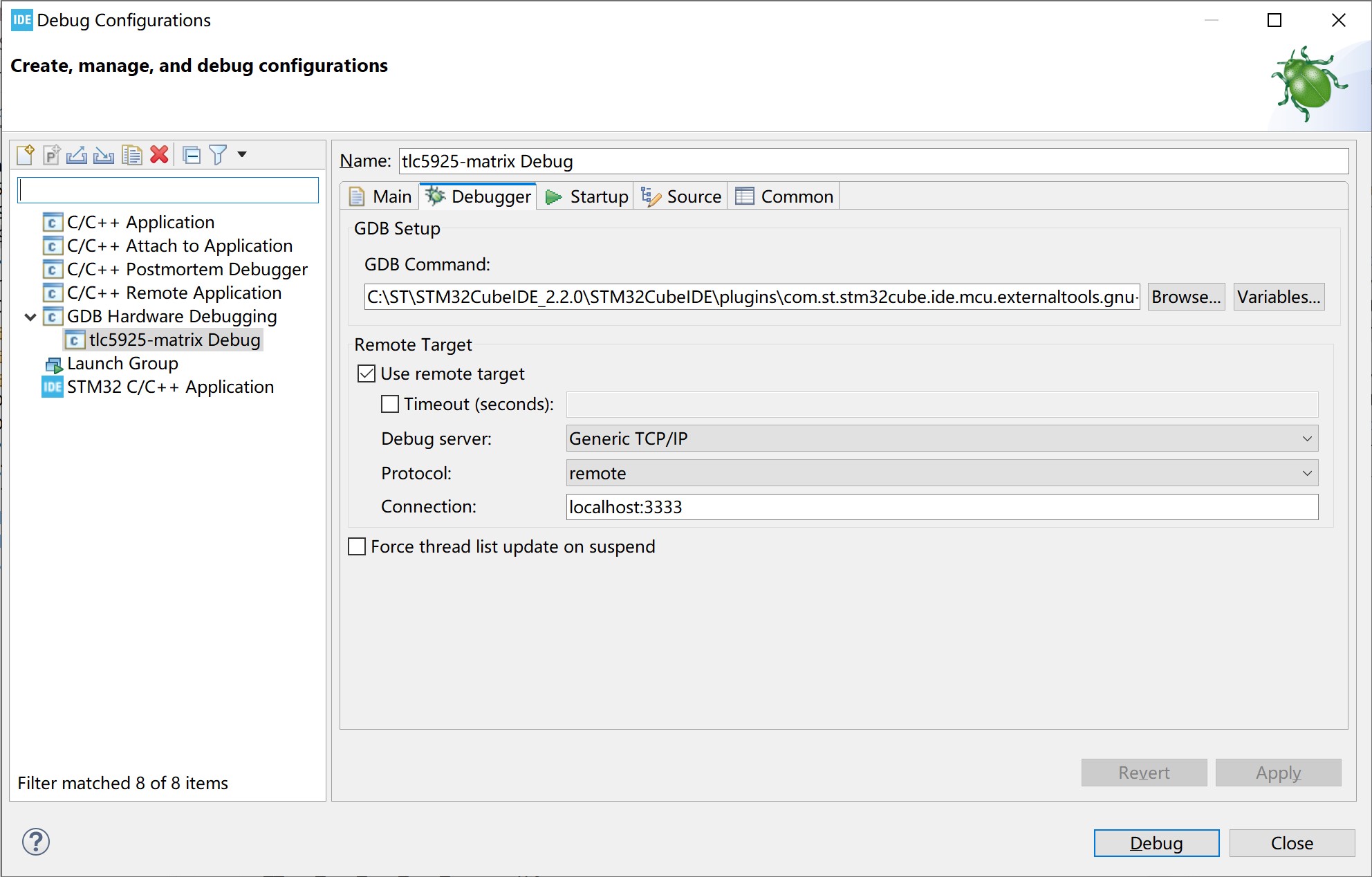
- 在 stm32cubeIDE 菜单中选择 Run -> Debug Configurations
- 左栏选中 GDB Hardware Debugging 然后点右键选 " New Configuration" , 右边选中 Debugger 然后点 Browser… 将 GDB Command 修改为 “<你自己stm32cubeide的安装目录>\STM32CubeIDE_2.2.0\STM32CubeIDE\plugins\com.st.stm32cube.ide.mcu.externaltools.gnu-tools-for-stm32.14.3.rel1.win32_1.0.100.202602081740\tools\bin\arm-none-eabi-gdb.exe”
- 点 debug 就能跟 proteus 中联调了.